Loading...

Share


 Copied
Website vs Web App: What's the Difference?
21 July, 2025

Carlos Dusan
Subscribe to Our Newsletter
Get the latest web development tips, SEO strategies, and industry insights delivered to your inbox.You are now subscribed to our newsletter. Thank you
You use both every single day. You probably switched between them a dozen times before lunch. But if someone asked you to explain the difference between a website and a web app — really explain it — you might find yourself hesitating.
Don't worry. Most people do.
The confusion makes sense because they live in the same place: your browser. They're both accessed through a URL. They both look like... web things. But underneath that surface similarity, they work differently, serve different purposes, and — if you're ever building one or hiring someone to build one — cost very different amounts of time and money to create.
Let's clear this up once and for all.
What Is a Website, Really?
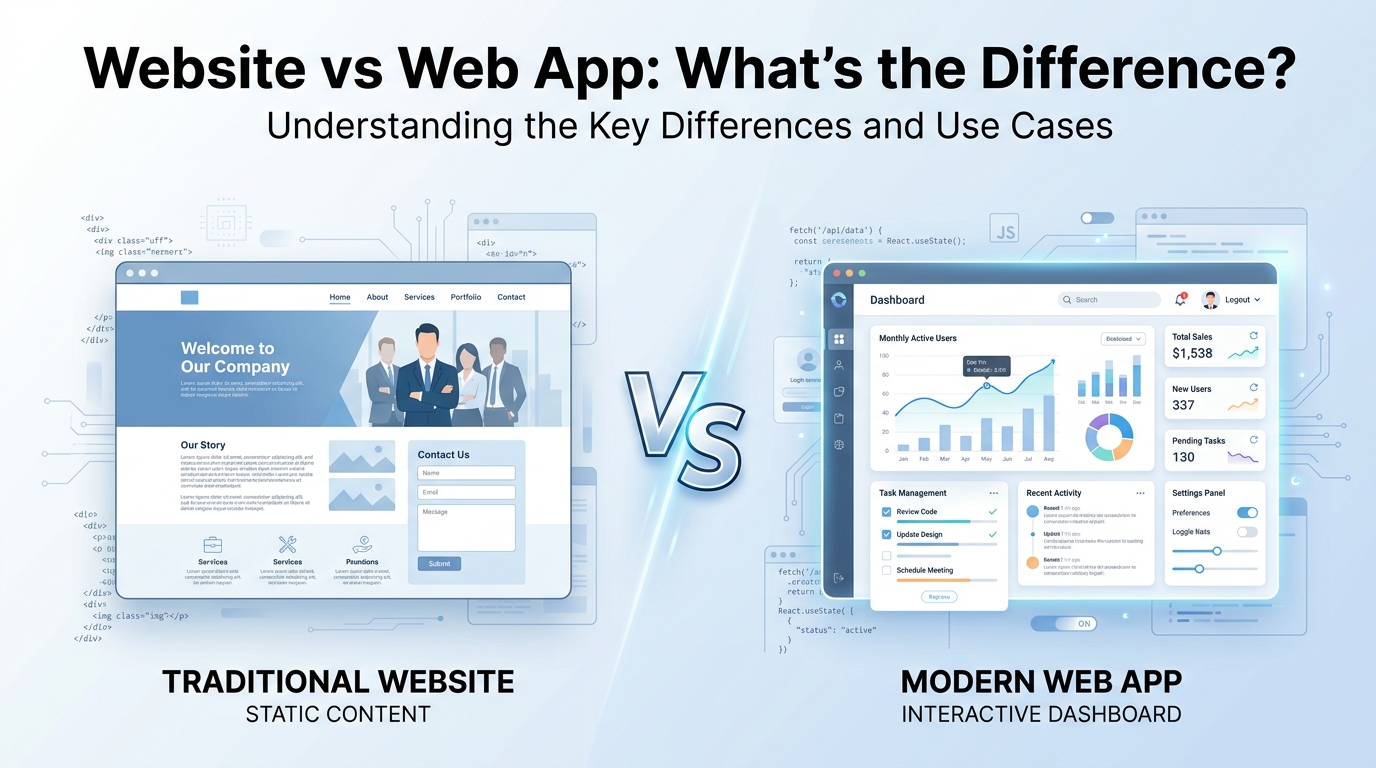
A website, at its core, is built to deliver information. You show up, you read, you scroll, and you leave. The site itself doesn't change based on what you do — it just sits there, presenting content.
Think of a local bakery's homepage. It has their hours, their menu, a few nice photos of sourdough loaves, maybe a contact form. That's a website. You consume what's there. The page doesn't respond to you in any meaningful way — it just exists, waiting to be read.
Other classic examples: news articles, personal portfolios, company "about us" pages, landing pages for products. The defining quality is that the user is passive. You're a visitor, not a participant.
Now, websites can have some interactive elements — a search bar, a newsletter signup, a click-to-expand FAQ section. Those features don't automatically push something into "web app" territory. They're more like small conveniences layered on top of what is fundamentally a reading experience.
So What Makes Something a Web App?
Here's where it gets interesting.
A web app isn't just a website with more buttons. It's a piece of software that runs in your browser — and it responds to you. What you see changes based on what you do. The experience is built around your actions, not just your eyeballs.
Gmail is the clearest example. When you open it, it loads your inbox. You write an email, hit send, and it's gone. You search for a message from six months ago and it finds it. You're not just reading — you're actively doing things, and the app is responding in real time. The whole experience is built around your inputs.
Other web apps you probably use constantly: Google Docs, Trello, Notion, Spotify's web player, your bank's online portal, any e-commerce checkout flow. The pattern is consistent — there's usually a login, there's user-specific data, and the interface changes based on what you do next.
The underlying reason for this is that web apps rely on back-end logic — servers, databases, and APIs working behind the scenes to read and write data on your behalf. When you drag a task from "In Progress" to "Done" in Trello, that change gets saved to a database somewhere. That's the fundamental difference. A website shows you things. A web app lets you do things.
The Real Distinction: Passive vs Active
Strip everything else away and this is what you're left with:
- Websites create a passive experience. You receive information.
- Web apps create an active experience. You create, modify, or transact with data.
Here's a side-by-side that makes it concrete:
- A restaurant's homepage → website. Their online ordering system → web app.
- A news article → website. A personalized news feed you curate and save → web app.
- A company's product page → website. The checkout and account management system → web app.
And honestly, many modern products sit somewhere in the middle. An e-commerce store starts as a website — product pages, brand story, a blog — but the moment you add a cart, a checkout, and an account dashboard, you've crossed into web app territory. That grey area is real and it's fine to acknowledge it. The question isn't always "which one is it?" but "where does this sit on the spectrum?"
Importance and Relevance
If you're just a curious person, the distinction is fun to know. But if you're building something, hiring someone, or evaluating tools, it has real consequences.
Building something? Websites are generally faster and cheaper to build. A clean, well-designed business website might take a few weeks and a modest budget. A web app — with user authentication, a database, real-time functionality, security considerations — is a fundamentally different engineering challenge. Scoping these wrong from the start is one of the most common and costly mistakes early-stage founders make.
Hiring someone? A web designer and a web app developer are not interchangeable. Understanding what you're building helps you hire the right person, ask the right interview questions, and evaluate portfolios that are actually relevant to your project.
Using something? Web apps hold a lot more of your personal data than websites do. That's worth thinking about when it comes to privacy and security. Knowing what something is helps you decide whether a tool actually fits your need — or whether you're signing up for more complexity than you need.
A Few Quick Myths Worth Busting
- "Web apps need to be downloaded." Nope — they run entirely in your browser.
- "Any website with interactive features is a web app." Not quite. A contact form doesn't make something a web app.
- "Web apps and mobile apps are the same thing." Related, but different. A mobile app is installed on your phone. A web app runs in a browser, mobile or otherwise.
The Bottom Line
Websites inform. Web apps enable action.
The line between them is genuinely blurry sometimes — even developers argue about edge cases. But if you hold onto that one core question — what is the user actually supposed to do here? — you'll almost always land in the right place.
And as the web keeps evolving, the two categories will keep converging. But that central question? It's not going anywhere.



© Search Boss, All right reserved.