Loading...

Share


 Copied
7 Website Builders for Small Businesses and Freelancers
20 March, 2025

Carlos Dusan
Table of Content
Subscribe to Our Newsletter
Get the latest web development tips, SEO strategies, and industry insights delivered to your inbox.You are now subscribed to our newsletter. Thank you
Small businesses and freelancers must have a professional website today. Website builders make this easy - no coding needed, no technical skills required, and no big spending.
This guide looks at 7 great website builders perfect for small businesses and freelancers. We've picked options for all skill levels, budgets and business types. Whether you're a photographer, retailer or service provider, you'll find the right tool to build your site
Why Small Businesses and Freelancers Need a Website Builder
Before diving into specific platforms, let's understand why website builders are ideal for small businesses and freelancers:
- Cost-effective: Most website builders offer affordable monthly plans
- No coding required: Drag-and-drop interfaces make site creation accessible
- Professional templates: Pre-designed templates ensure your site looks polished
- Mobile-responsive designs: Sites automatically adapt to all screen sizes
- Built-in SEO tools: Help your business get found online
- Time-saving: Launch your site in hours or days, not weeks or months
According to a 2024 survey, businesses with a professional website are 4x more likely to be considered credible by potential customers. Yet, nearly 40% of small businesses still don't have a website. If you're in that 40%, it's time to change that.
What to Look for in a Website Builder
When choosing the best website builder for your small business or freelance career, consider these key factors:
- Ease of use: Intuitive interface with minimal learning curve
- Design flexibility: Customization options to match your brand
- Mobile-responsive templates: Ensures your site looks great on all devices
- E-commerce capabilities: Ability to sell products or services
- SEO features: Tools to help your site rank in search engines
- Integration options: Compatibility with tools you already use
- Customer support: Available help when you need it
- Scalability: Room to grow as your business expands
- Pricing: Transparent costs with no hidden fees
Now, let's explore the 7 website builders that can transform your online presence.
1. Elementor
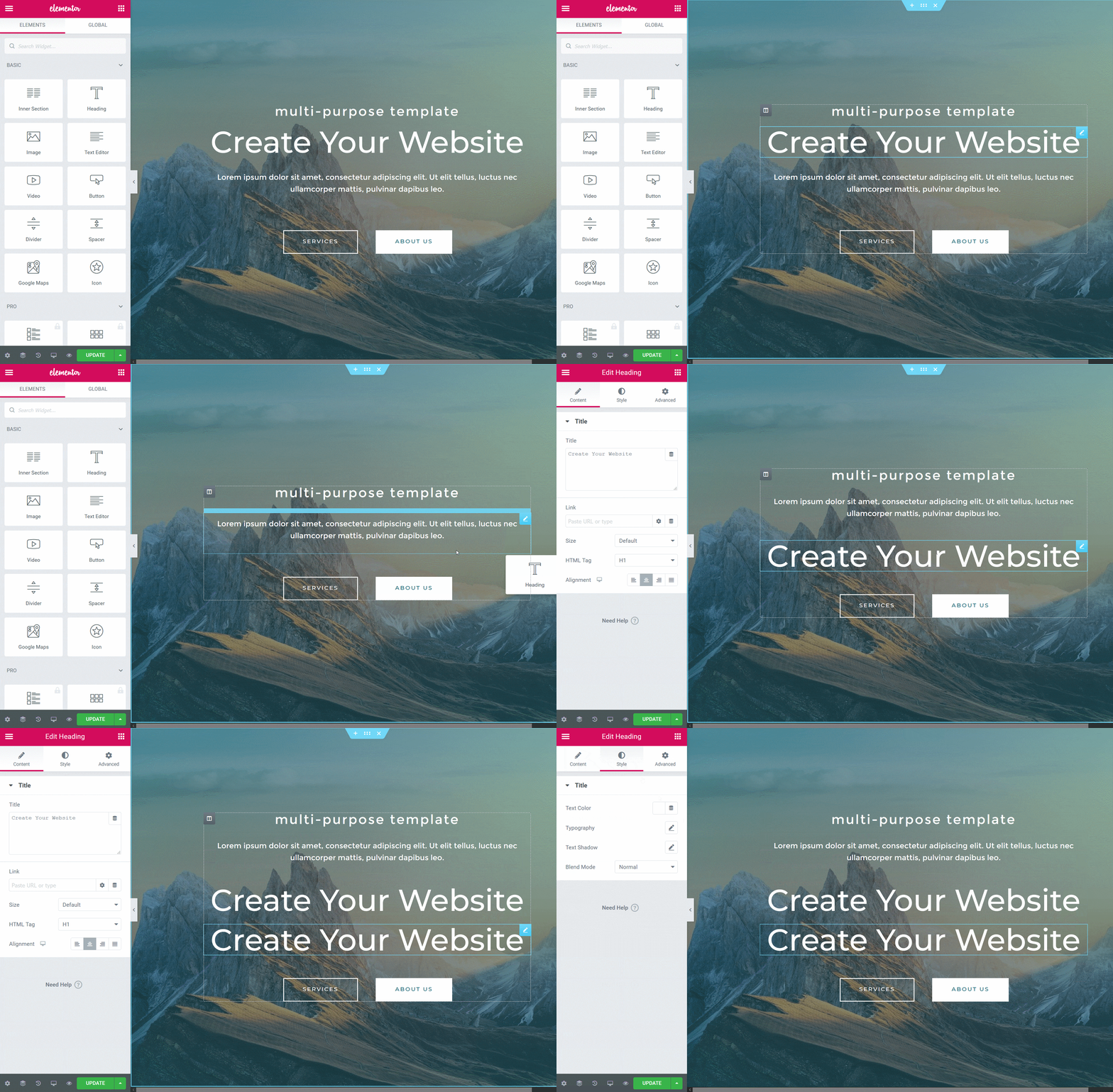
Elementor stands out as a powerful WordPress page builder plugin that gives small businesses and freelancers extraordinary control over their website design.
Key Features
- Visual drag-and-drop editor: Create custom layouts without coding
- 300+ pre-designed templates: Start with professional designs across industries
- Responsive design controls: Customize how your site appears on different devices
- Theme Builder: Design headers, footers, post templates, and more
- Pop-up Builder: Create custom pop-ups to capture leads
- Form Builder: Create custom forms for contact, quotes, etc.
- WooCommerce integration: Build custom online stores
Pricing
Elementor offers both free and premium versions:
| Plan | Price | Best For |
| Free | $0 | Basic website needs |
| Essential | $49/year | Single website with pro features |
| Advanced | $99/year | 3 websites with premium features |
| Expert | $199/year | 25 websites with enhanced capabilities |
| Agency | $399/year | 1000 websites with full feature set |
Pros and Cons
Pros:
- Extremely flexible design capabilities
- Works with most WordPress themes
- Extensive widget library
- Active community and resources
- Regular updates and new features
Cons:
- Requires WordPress hosting separately
- Can impact site loading speed if overused
- Learning curve for advanced features
Who Should Use Elementor
Elementor is ideal for small businesses and freelancers who:
- Want maximum design control
- Already use WordPress or are comfortable with it
- Have specific design requirements
- Plan to scale their website over time
Case Study: Sarah, a freelance graphic designer, switched to Elementor after struggling with limited customization options on other platforms. "Within a week, I had a completely custom portfolio that perfectly showcased my work and attracted higher-quality clients," she says. Her inquiry rate increased by 65% in the first month after launch.
2. Webflow
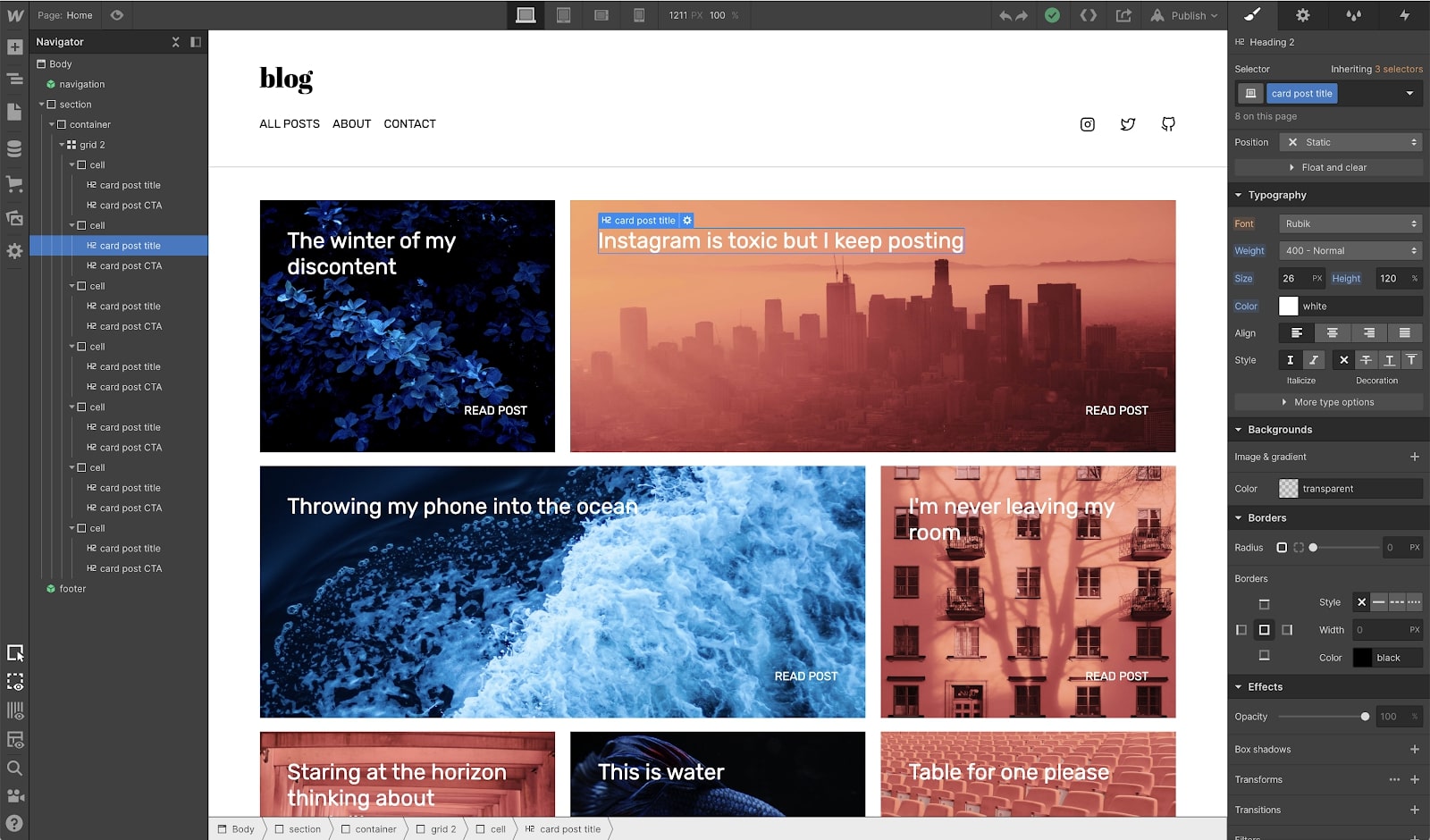
Webflow combines the flexibility of custom code with the convenience of a visual editor, making it a powerful choice for small businesses and freelancers seeking design freedom.
Key Features
- Visual development platform: Design with pixel-perfect precision
- CMS capabilities: Create and manage dynamic content
- Responsive design system: Built from the ground up for all devices
- E-commerce functionality: Sell products with customizable checkout
- Animations and interactions: Create engaging user experiences
- SEO tools: Built-in features for better search ranking
- Hosting included: Fast, reliable hosting on Amazon Web Services
Pricing
Webflow offers site plans and account plans:
Site Plans:
| Plan | Price | Best For |
| Basic | $14/month | Simple business sites |
| CMS | $23/month | Content-rich sites |
| Business | $39/month | Higher traffic sites |
| Enterprise | Custom | Large business needs |
E-commerce Plans:
| Plan | Price | Best For |
| Standard | $29/month | Starting online stores |
| Plus | $74/month | Growing businesses |
| Advanced | $212/month | Established stores |
Pros and Cons
Pros:
- Exceptional design freedom
- Clean, efficient code output
- Powerful CMS functionality
- Professional animations without coding
- Excellent SEO performance
Cons:
- Steeper learning curve than other builders
- Higher price point for advanced features
- E-commerce features less robust than dedicated platforms
Who Should Use Webflow
Webflow is perfect for small businesses and freelancers who:
- Value design precision and uniqueness
- Want a site that stands out from templates
- Need content management capabilities
- Are willing to invest time in learning the platform
"Webflow gave me the ability to create exactly what I envisioned without compromising or hiring a developer," says Marcus, a freelance photographer whose Webflow portfolio site helped him land a major advertising contract.
3. Divhunt
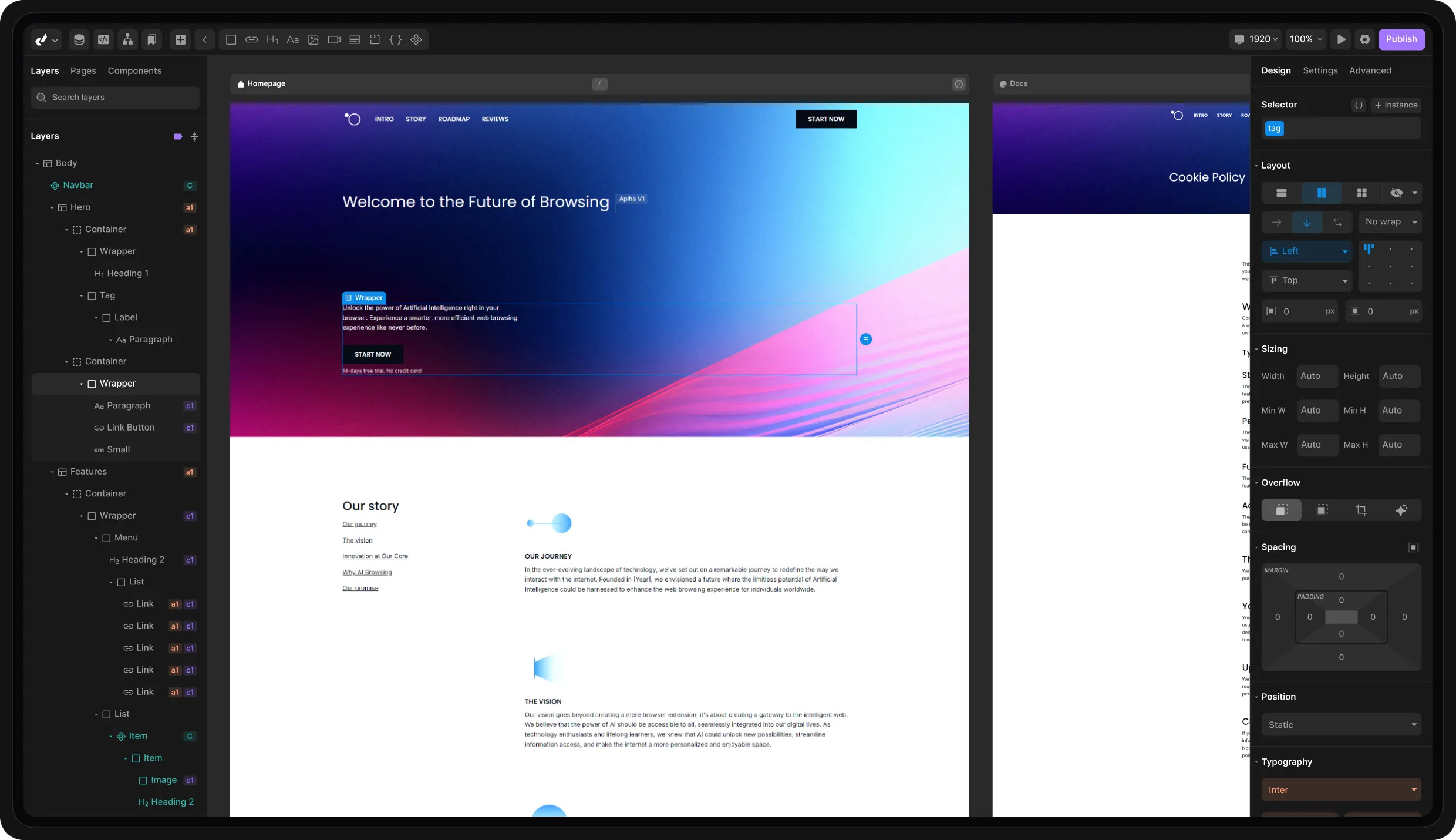
As a newer entry in the website builder market, Divhunt offers an interesting alternative for small businesses and freelancers looking for simplicity without sacrificing capabilities.
Key Features
- Intuitive drag-and-drop editor: Easy website creation
- Modern template collection: Fresh, contemporary designs
- Collaborative tools: Work with team members or clients
- Responsive design system: Mobile-friendly by default
- Built-in marketing tools: Grow your audience
- Fast loading speeds: Performance-optimized sites
- SEO-friendly structure: Help customers find you online
Divhunt's pricing structure focuses on accessibility:
| Plan | Price | Best For |
| Free | $0 | For personal projects |
| Growth | $9/month | Growing businesses |
| Professional | $24/month | For large businesses |
| Business | $66/month | Established companies |
Pros and Cons
Pros:
- Streamlined, user-friendly interface
- Affordable entry point
- Modern, clean templates
- Good performance optimization
- Regular feature updates
Cons:
- Newer platform with smaller community
- Fewer templates than established competitors
- Limited advanced customization options
Who Should Use Divhunt
Divhunt is well-suited for small businesses and freelancers who:
- Want a simple, straightforward building experience
- Need a clean, modern aesthetic
- Have budget constraints
- Don't require complex customizations
Tip: Divhunt's free plan lets you build and publish a basic site, making it perfect for testing the platform before committing to a paid plan.
4. Webstudio.is
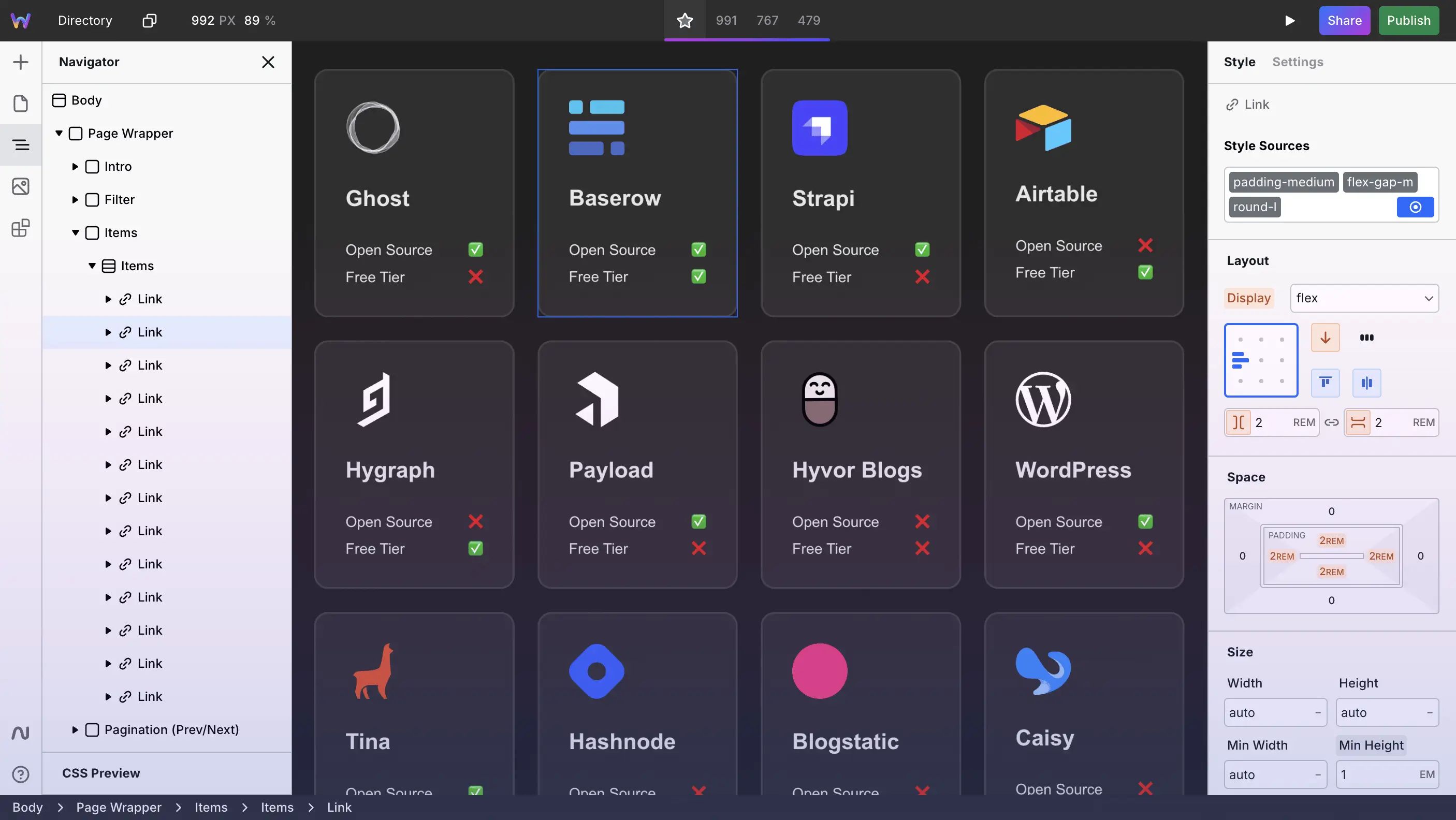
Webstudio.is represents the next generation of website builders for small businesses and freelancers, focusing on performance and developer-friendly features while maintaining accessibility for non-coders.
Key Features
- Modern visual editor: Create with precision and ease
- Performance-first approach: Lightning-fast websites
- Component-based design system: Reusable elements for consistency
- Collaborative editing: Work together in real-time
- Version control: Track changes and revert when needed
- Developer tools: Access to code when you need it
- Accessibility focus: Create inclusive websites
Pricing
Webstudio.is offers tiered pricing to accommodate different needs:
| Plan | Price | Features |
| Free | $0 | 10,000 page views/mo |
| Professional | $20/month | 100,000 page views/mo |
Pros and Cons
Pros:
- Exceptional performance metrics
- Modern approach to website building
- Strong focus on best practices
- Growing template library
- Built-in collaboration tools
Cons:
- Newer platform still adding features
- Smaller community than established builders
- Learning curve for unique interface elements
Who Should Use Webstudio.is
Webstudio.is is ideal for small businesses and freelancers who:
- Prioritize website performance
- Value modern design principles
- Need collaborative features
- Want room to grow with advanced features
"After switching to Webstudio.is, my site load time decreased by 40%, and my bounce rate improved significantly. The impact on customer engagement was immediate," reports Jamie, a freelance consultant who specializes in digital marketing.
5. Wix
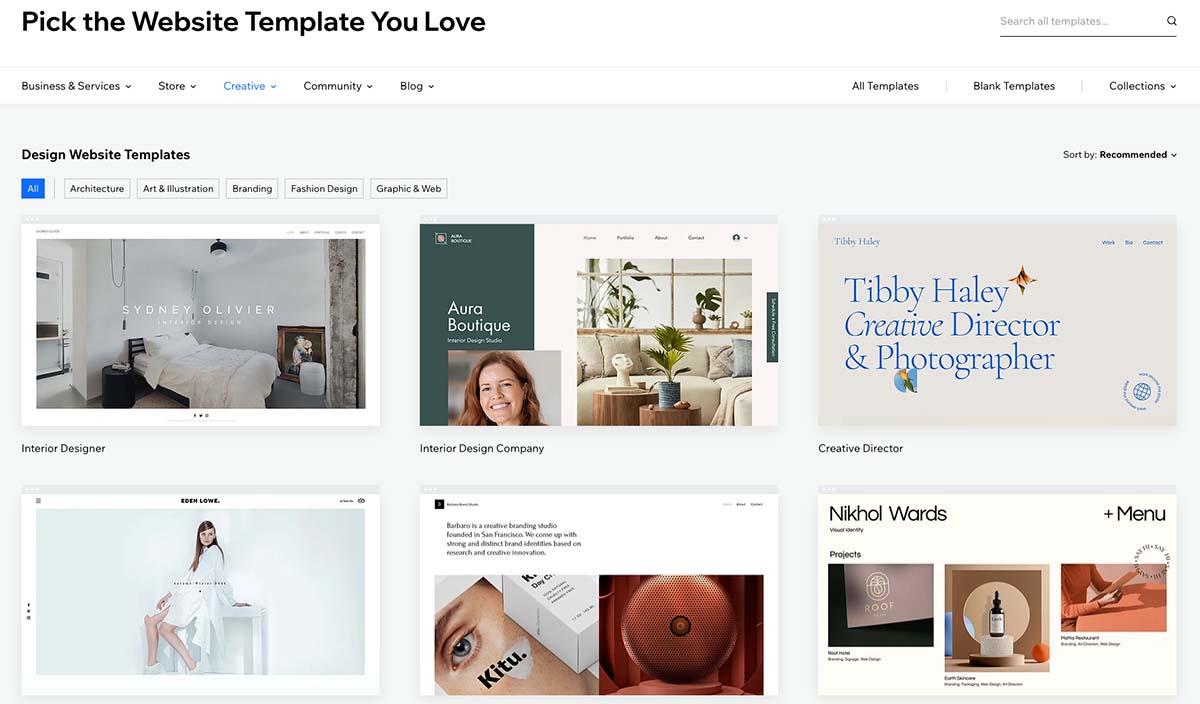
Wix remains one of the most popular website builders for small businesses and freelancers, offering an impressive balance of ease of use and powerful features.
Key Features
- Intuitive drag-and-drop editor: Place elements anywhere on the page
- 800+ designer templates: Options for every industry
- Wix ADI (Artificial Design Intelligence): AI-powered website creation
- App Market: 300+ apps to extend functionality
- Wix Bookings: Appointment scheduling system
- Wix Stores: Complete e-commerce solution
- SEO Wiz: Step-by-step SEO guidance
- Mobile optimization: Automatic responsive design
Pricing
Wix offers several plans to meet different needs:
| Plan Type | Price Range | Best For |
| Website Plans | 16−45/month | Informational sites |
| Business & E-commerce | 27−59/month | Online stores |
| Enterprise | Custom pricing | Large businesses |
Pros and Cons
Pros:
- Extremely user-friendly interface
- Vast template selection
- Comprehensive feature set
- Integrated business tools
- Regular updates and improvements
- Strong mobile-responsive templates
Cons:
- Cannot switch templates after site creation
- Can become costly with premium apps
- Editor freedom can lead to design inconsistencies
Who Should Use Wix
Wix is perfect for small businesses and freelancers who:
- Need an easy-to-use platform
- Want a wide range of templates and features
- Require integrated business tools
- Value creative freedom in design
Case Study: Michael, a freelance consultant, launched his business website on Wix without prior web design experience. "The intuitive interface and pre-designed templates made it possible to create a professional site in a weekend," he says. His Wix site now generates 80% of his new business leads.
6. Nordcraft
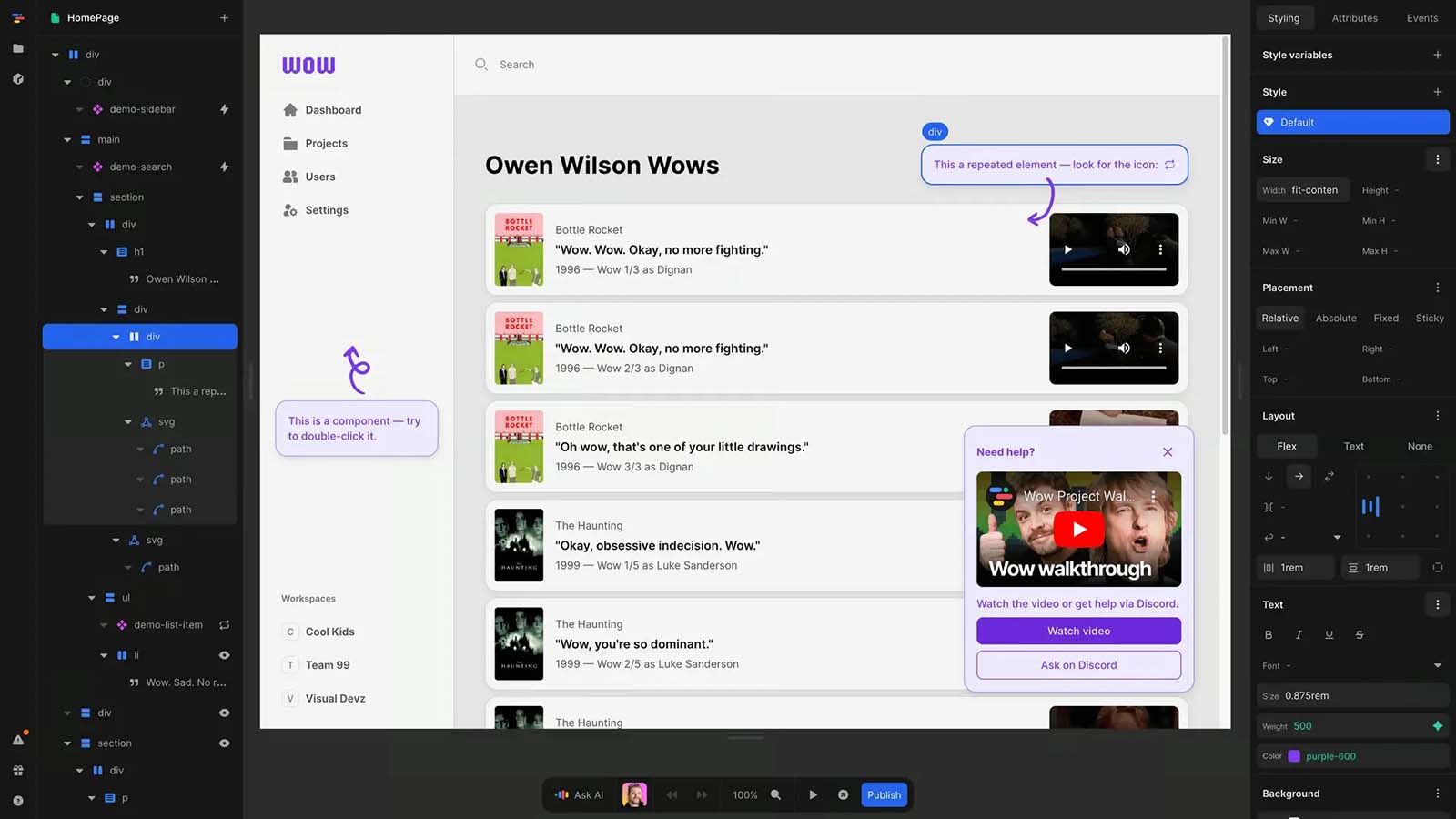
Nordcraft is an innovative website builder that focuses on simplicity without sacrificing power, making it an excellent choice for small businesses and freelancers with unique needs.
Key Features
- Streamlined building experience: Focus on content, not complexity
- Performance optimization: Fast-loading websites
- Modern design system: Contemporary templates and components
- Collaboration tools: Work with clients or team members
- Custom domains: Connect your business domain
- Built-in analytics: Track visitor behavior
- Automatic backups: Never lose your work
Pricing
Nordcraft offers straightforward pricing:
| Plan | Price | Best For |
| Free | $0 | Trying the platform |
| Startup | $29/month | Low traffic sites |
| Scaleup | $119/month | Growing businesses |
| Enterprise | Custom | Established companies |
Pros and Cons
Pros:
- Clean, modern interface
- Fast learning curve
- Strong focus on performance
- Regular feature updates
- Good balance of simplicity and power
Cons:
- Smaller template library than major competitors
- Fewer third-party integrations
- Limited advanced customization options
Who Should Use Nordcraft
Nordcraft is ideal for small businesses and freelancers who:
- Value simplicity and efficiency
- Need a modern, clean design
- Want to launch quickly
- Don't require complex customizations
"As someone with no technical background, I was able to create my business website with Nordcraft in just one afternoon. The result looks professional and performs beautifully," says Lisa, a freelance writer who uses her site to attract new clients.
7. Vev
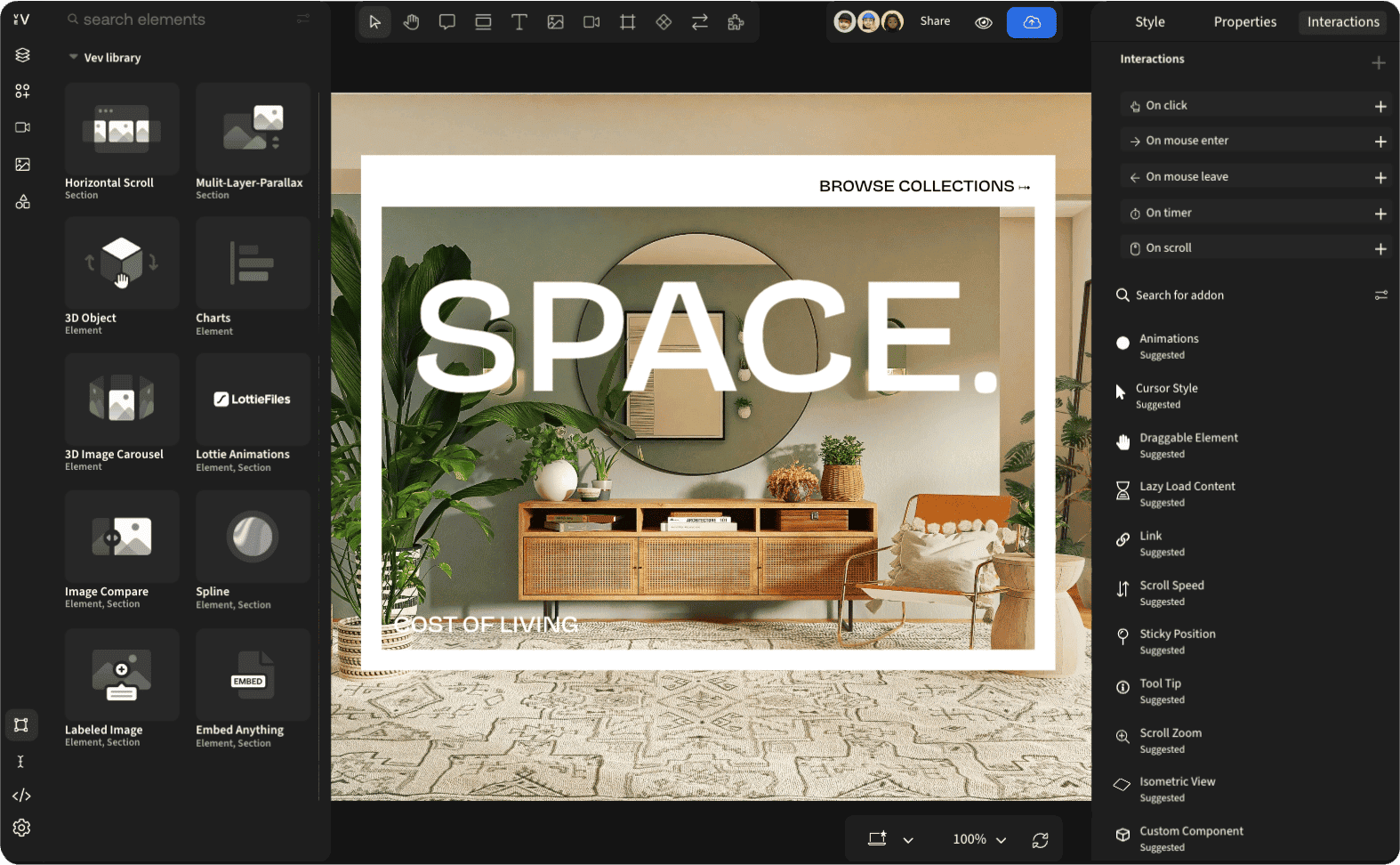
Vev stands out as a unique website builder for small businesses and freelancers who want to create interactive, engaging web experiences without coding knowledge.
Key Features
- Advanced interaction design: Create engaging user experiences
- Collaborative workspace: Team-based editing and approval
- Component-based design: Reusable elements for consistency
- Animation tools: Create movement and interest
- Responsive design system: Looks great on all devices
- Publishing workflow: Approval processes for teams
- Performance optimization: Fast, efficient websites
Pricing
Vev offers flexible pricing to accommodate different users:
| Plan | Price | Best For |
| Free | $0 | Personal Portfolios |
| Solo | $29/month | Individual freelancers |
| Professional | $59/month | Growing businesses |
| Organization | $250/month | Larger enterprises |
Pros and Cons
Pros:
- Unique focus on interactive experiences
- Professional-quality animation tools
- Strong collaborative features
- Advanced design capabilities
- Regular feature updates
Cons:
- Higher price point for advanced features
- Overkill for simple informational sites
Who Should Use Vev
Vev is perfect for small businesses and freelancers who:
- Want to create interactive web experiences
- Need to stand out from competitors
- Value collaborative features
- Have slightly more complex design needs
"Vev allowed me to create an interactive portfolio that showcases my work in a way that static websites simply can't. The engagement metrics are off the charts," reports Alex, a freelance animator who uses Vev to display his motion graphics work.
Choosing the Right Website Builder for Your Needs
When selecting the best website builder for your small business or freelance work, consider these factors:
- Your technical skill level: Some platforms are more beginner-friendly than others
- Design requirements: How much customization do you need?
- Budget constraints: What can you afford monthly or annually?
- Growth plans: Will the platform scale with your business?
- E-commerce needs: Do you need to sell products or services?
- Content requirements: Blog, portfolio, services pages, etc.
- Time availability: How quickly do you need to launch?
Comparison Table: Features at a Glance
| Feature | Elementor | Webflow | Divhunt | Webstudio.is | Wix | Nordcraft | Vev |
| Ease of Use | ★★★☆☆ | ★★☆☆☆ | ★★★★☆ | ★★★☆☆ | ★★★★★ | ★★★☆☆ | ★★★★★ |
| Design Flexibility | ★★★★★ | ★★★★★ | ★★★★☆ | ★★★★☆ | ★★★★☆ | ★★★☆☆ | ★★★★★ |
| E-commerce | ★★★★☆ | ★★★☆☆ | ★★☆☆☆ | ★★★☆☆ | ★★★★☆ | ★★★☆☆ | ★★★☆☆ |
| SEO Tools | ★★★★☆ | ★★★★☆ | ★★★★★ | ★★★★☆ | ★★★★★ | ★★★☆☆ | ★★★☆☆ |
| Mobile Responsiveness | ★★★★☆ | ★★★★★ | ★★★★☆ | ★★★★★ | ★★★★☆ | ★★★★☆ | ★★★★☆ |
| Starting Price | $0 (Free) | $14/mo | $9/mo | $20/mo | $16/mo | $29/mo | $25/mo |
| Learning Curve | Moderate | Steep | Gentle | Moderate | Gentle | Steep | Gentle |
Tips for Building a Successful Small Business or Freelance Website
Regardless of which website builder you choose, follow these best practices:
- Start with clear goals: Define what you want your website to achieve
- Know your audience: Design with your ideal customer in mind
- Keep it simple: Don't overwhelm visitors with too much information
- Use high-quality images: Visual appeal matters
- Include clear calls to action: Guide visitors toward conversion
- Optimize for mobile: Most visitors will use phones
- Implement SEO best practices: Help people find you online
- Include contact information: Make it easy to reach you
- Add testimonials or reviews: Build trust with social proof
- Test before launching: Ensure everything works properly
Conclusion
The right website builder for small businesses and freelancers can transform your online presence and help you attract more clients or customers. Each platform in this guide offers unique advantages, from Elementor's WordPress integration to Wix's ease of use, Webflow's design precision to Vev's interactive capabilities.
Consider your specific needs, technical comfort level, and budget when making your choice. Many of these platforms offer free trials or plans, so you can test them before committing.
Remember, the best website builder is the one that helps you create an effective online presence with the least friction—allowing you to focus on what matters most: growing your business or freelance career.
What website builder are you currently using for your small business or freelance work? Share your experience in the comments below!