


Share


 Copied
The Complete 7-Step Web Development Process for Small Businesses
04 July, 2025

Carlos Dusan
Subscribe to Our Newsletter
Get the latest web development tips, SEO strategies, and industry insights delivered to your inbox.You are now subscribed to our newsletter. Thank you
Launching a small-business website can feel like herding caffeinated cats—hosting, design, copy, SEO, security… and that’s before a single customer lands on your home page.
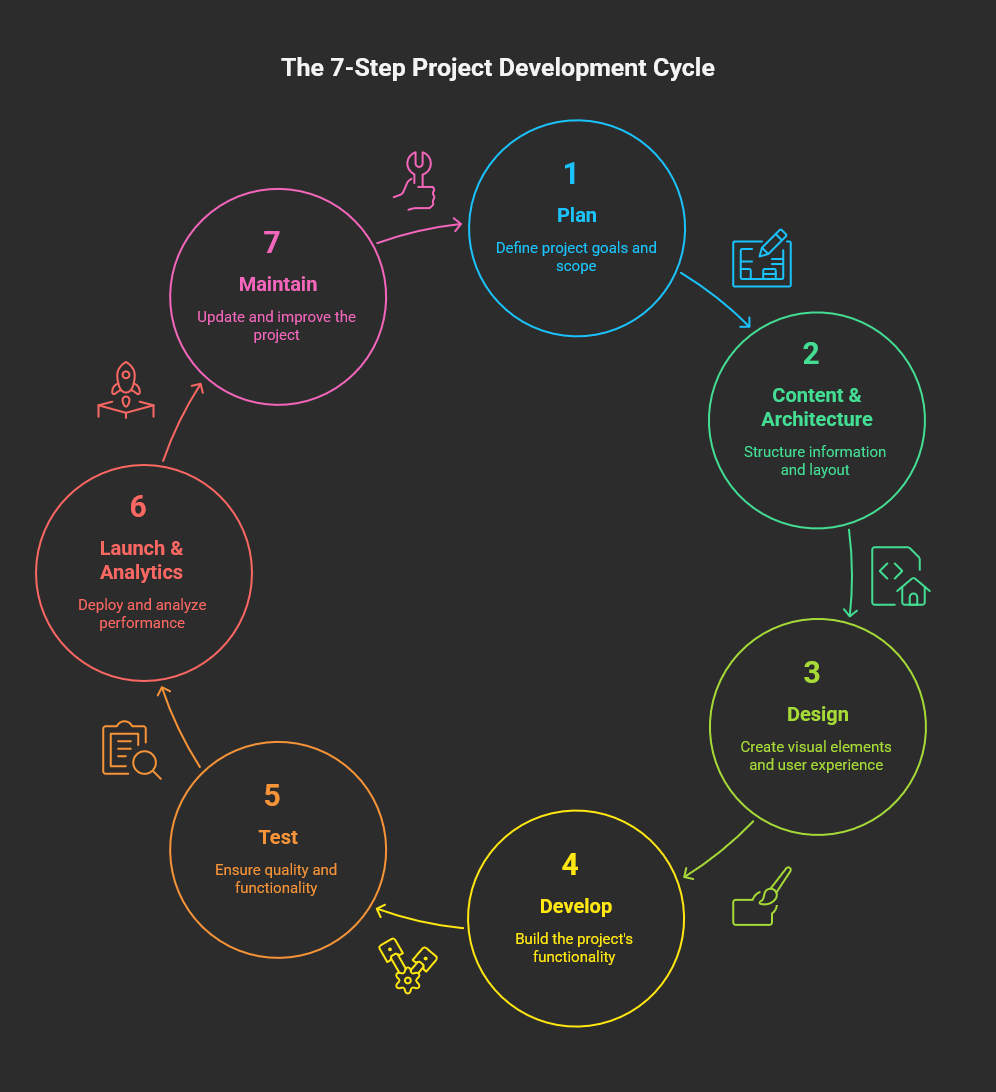
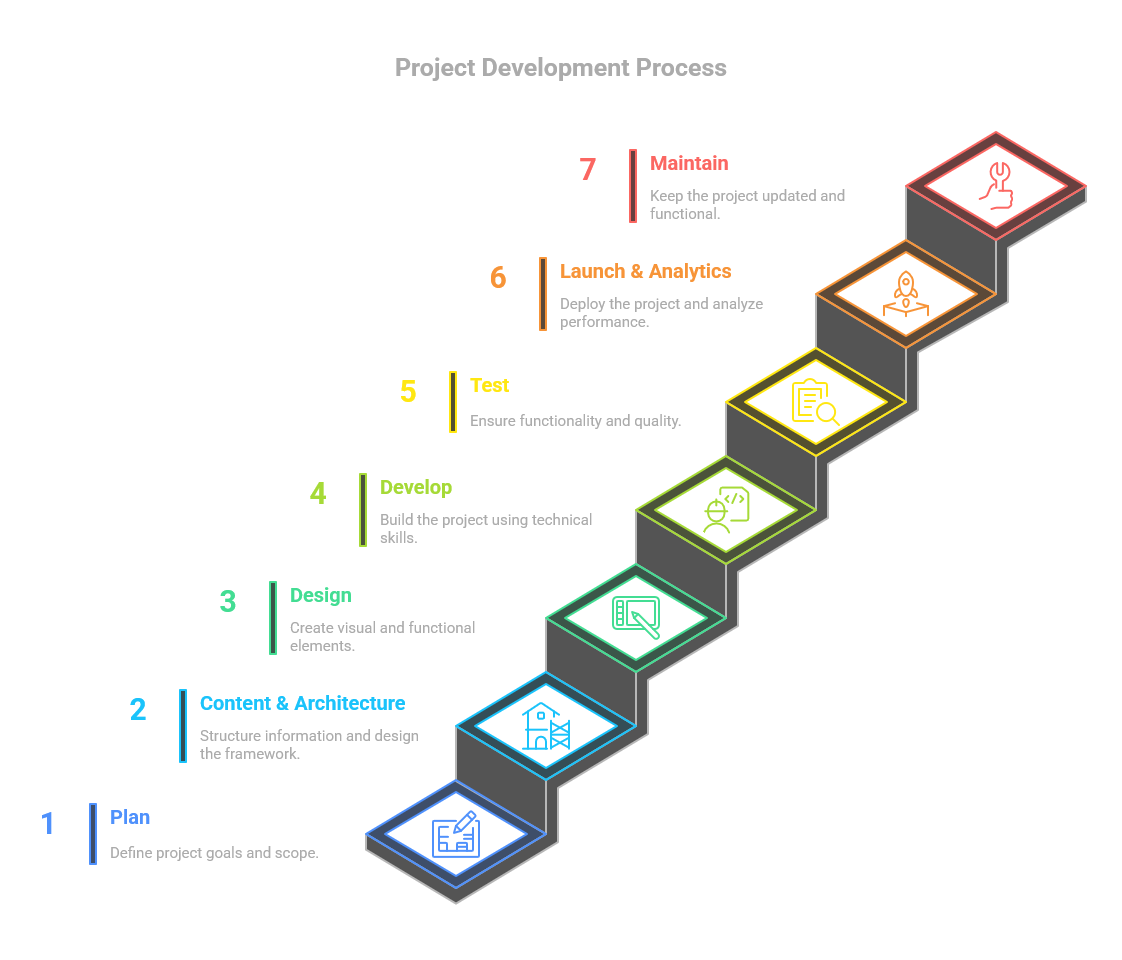
Good news: when you follow a proven, repeatable framework the chaos disappears. Below is a complete 7-step web development process for small businesses—battle-tested by agencies but rewritten here in plain English.
We’ll walk through each phase, sprinkle in real-world examples, drop a few nerdy pro-tips, and finish with a downloadable checklist so your next step by step website launch is drama-free.
1 – Goal Setting & Website Planning
Why it matters
If you don’t know what your website needs to accomplish, any template will do… and any shiny plug-in will derail you.
Mini-brief components (30-minute activity)
| Line Item | Guiding Questions | Example |
| Primary goal | Leads? Online sales? Bookings? | “Generate 25 qualified demo requests per month” |
| 90-day KPI | What metric proves success quickly? | Conversion rate ≥ 3 % |
| Audience | Who, where, pain points? | Local homeowners 25-55 needing roof repairs |
| Competitive edge | What do you do faster / cheaper / better? | 24-hour emergency visits |
Add a quick budget range + timeline and voilà—you have a roadmap that keeps both designer and accountant happy.
SEO seed list
During planning jot down 5-10 core keywords (e.g., “roof repair Austin”). You’ll weave them into copy later to feed Google without sounding spammy.
2 – Content & Architecture
Build a human-first sitemap
Think of your sitemap as the store directory at IKEA—without it shoppers get lost among the couches. Use free tools like Gloomaps or a simple Google Sheet:
Home
├── Services
│    ├── Roof Repair
│    ├── New Roof Install
│    └── Gutter Cleaning
├── About
├── Blog
└── Contact
Wireframe design: from napkin to prototype
A wireframe is a black-and-white sketch showing where headlines, images, CTAs, and navigation sit. It prevents the “can you move that button 3 px left?” nightmare after coding.
Tools: Figma, Balsamiq, or a Sharpie + paper.
Content inventory checklist
- Hero headline & sub-headline
- 3-sentence value proposition
- Service blurbs (150–200 words each)
- Testimonials (social proof = rocket fuel)
- High-resolution photos (under 200 kB after compression)
- Legal pages: privacy + terms (Google likes grown-ups)
3 – Visual Design
Brand alignment
Use the 3-C rule: Consistent, Contrast, Clear.
Same logo, color palette, and typography across print, socials, and site. This builds familiarity—aka the marketing world’s comfort food.
Mobile optimization essentials
Google’s index is mobile-first. Follow these quick wins:
- 14-16 px body font for readability
- Tap targets ≥ 48 × 48 px
- Hero images in WebP ≤ 100 kB
- Hide decorative videos on screens < 768 px
Design hand-off
Export assets (SVG logos, icons, WebP images) + a mini style guide (hex codes, fonts, button states) so devs don’t play guessing games.
4 – Development & CMS Build
Most small businesses thrive on WordPress, Shopify, or Squarespace, but any CMS is fine as long as you can:
• Edit copy without begging a developer
• Add blog posts (content = traffic)
• Integrate basic marketing tools (email, chat, analytics)
Front-end vs back-end tasks
| Layer | Main Tech | Key Deliverables |
| Front-end | HTML / CSS / JS | Responsive layout, animations, forms |
| Back-end | PHP / Node / Python | CMS setup, databases, API hooks |
| Infrastructure | Nginx / Apache, SSL | Hosting, security, backups |
Performance hacks
- Install a caching plugin (WP Rocket, LiteSpeed)
- Serve images via free CDN (Cloudflare)
- Minify CSS/JS (autominify options)
Accessibility (legal & ethical)
Add alt text, keyboard-navigable menus, proper color contrast (≥ 4.5:1). Free checker: wave.webaim.org.
5 – Quality Assurance Testing
Treat QA like insurance—boring until you need it, priceless when you do.
Testing matrix
| Area | Tool | Pass Criteria |
| Functional | BrowserStack, manual | All buttons, forms, carts work |
| Cross-browser | Edge, Chrome, Safari, Firefox | Layout intact, no JS errors |
| Mobile devices | iOS Safari, Android Chrome | Load < 3 s on 4G |
| Speed | Google Lighthouse | Performance ≥ 80 |
| Security | Qualys, SSL Labs | No mixed-content warnings |
| SEO | Screaming Frog, Ahrefs | No broken links, meta tags set |
Dress rehearsal
Spin up a staging sub-domain. Run through an entire order or lead submission, receive confirmation emails, test payment gateway with $0.01 charge.
6 – Launch & Analytics Setup
Quick Launch Checklist
- Point DNS A-record to new server
- Install SSL certificate (Let’s Encrypt is free)
- Force HTTPS + www/non-www canonical
- Remove “/wp-content/debug.log” or other sensitive files
- Submit XML sitemap to Google Search Console
- Turn on automatic daily backups
Analytics & pixels
- GA4 tag via Google Tag Manager (future-proof)
- Define conversion events (form-submit, call-click, checkout)
- Add Meta / LinkedIn pixel if you plan to run ads
- Create Data Studio dashboard—execs love pretty graphs
Benchmark now: record Core Web Vitals, bounce rate, avg. page load. You can’t improve what you don’t measure.
7 – Post-Launch Maintenance & Growth
A website is a puppy, not a goldfish—it needs feeding.
Monthly maintenance checklist
| Task | Tool | Est. Time |
| Core & plugin updates | WP-Admin | 15 min |
| Automated backups verify | UpdraftPlus | 5 min |
| Security scan | Wordfence, Sucuri | 10 min |
| Broken link check | BrokenLinkCheck.com | 10 min |
| Speed retest | PageSpeed Insights | 5 min |
| Content refresh (blog, FAQ) | CMS | 2–4 hrs |
Continuous improvement
- Heatmaps (Hotjar) reveal friction points.
- A/B tests on CTA color or copy can nudge conversions by 5-10 %.
- Quarterly redesign? Probably not. Micro-iterations keep things fresh without the sticker shock.
Common Mistakes (and How to Fix Them Quickly)
- Scope creep – Lock requirements in a signed brief; use change requests for new ideas.
- Ignoring mobile – Preview every major template on at least one iPhone & Android.
- No backups – Cloud backups cost pennies; ransomware costs reputations.
- DIY SEO myths – Stuffing keywords ≠ ranking. Quality + backlinks win.
Tool-Stack Cheat-Sheet
| Phase | Free / Low-Cost Tools |
| Planning | Notion, Gloomaps |
| Wireframe design | Figma (free tier) |
| Content | Google Docs, Grammarly |
| Development | LocalWP, VS Code |
| Testing | Google Lighthouse, BrowserStack Live (30 min) |
| Launch | Cloudflare, UpdraftPlus |
| Post-launch maintenance | ManageWP, UptimeRobot |
| Analytics setup | GA4, Looker Studio |
Wrapping Up
Follow these seven web development steps and you’ll move from blank page to revenue-generating website without the sleepless nights. Remember:
- Plan ruthlessly
- Craft content & structure before pixels
- Design for humans and Google
- Build lean & fast
- Test like a pessimist
- Launch with data hooks baked in
- Maintain and iterate—growth is a marathon
Ready to build or reboot your site?
Download our free Website Planning Guide. Let’s turn your small-business website into your hardest-working employee!